Why Mirroring Matters
A mirrored production module lets you place matching factory wings without rebuilding every belt, machine, and pipe by hand. This matters most when a blueprint has directional inputs, outputs, splitters, and multi-tile machines that need to face the opposite way.
Blueprints in Alchemy Factory save repeatable factory sections, helping players expand proven designs quickly. However, rotation and mirroring solve different problems: rotation turns a layout, while a mirror reverses its left-to-right arrangement.
If you need an opposite-handed version of a production line, first determine whether rotating the existing blueprint will fit. When it will not, use a manual mirrored design or a dedicated mirroring mod.
| Option | Best use | Main limitation |
|---|---|---|
| Rotate the blueprint | Fitting a layout along another side of the factory | Does not reverse belt paths or machine sides |
| Build a second handed version | Permanent, mod-free mirrored modules | Requires initial redesign work |
| Use BlueprintMirror | Quickly flip complex saved layouts | Requires UE4SS and a mod installation |
| Use compact modular blueprints | Repeating small production blocks | May need more external routing |
Blueprint Basics Before You Mirror
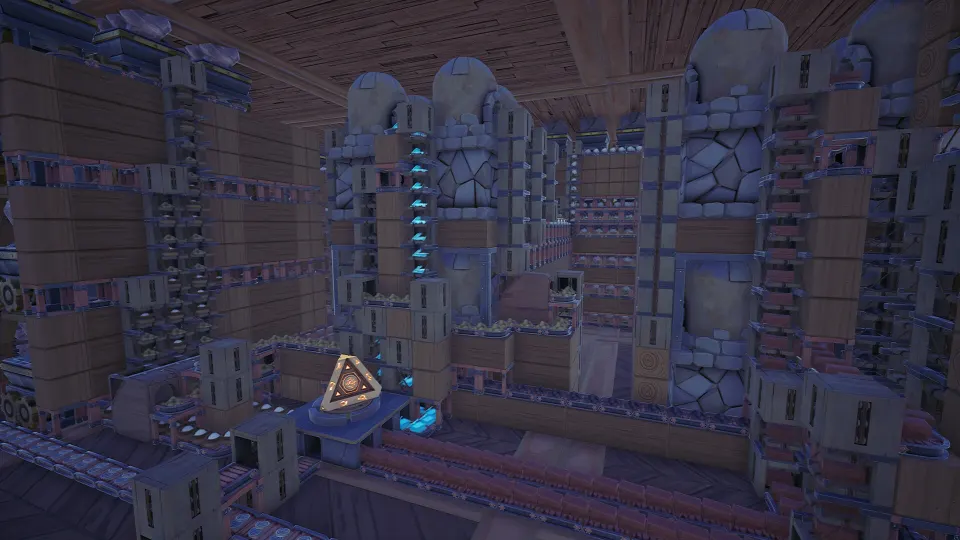
A blueprint captures a selected factory layout so you can place that arrangement again later. It can include machines, conveyors, portals, and their connections, making it valuable for any production chain you expect to repeat.
Create a blueprint only after the original line works reliably. A missing conveyor, misplaced portal, or incorrect machine setting becomes part of every future copy. Test inputs, outputs, power or fuel requirements, and throughput before saving the design.
A practical workflow is:
- Build one complete module and run it long enough to expose jams.
- Select every required building, belt, and connection.
- Create the copy, then save it from the blueprint menu.
- Give it a name that identifies its product, version, and output rate.
- Place a test copy in open space before relying on it for expansion.
| Blueprint naming element | Example | Why it helps |
|---|---|---|
| Product | Fertilizer | Identifies the module’s purpose |
| Version | Mk2 | Separates improvements from older builds |
| Throughput | 120/min | Helps compare capacity at a glance |
| Constraint | Needs Coal | Prevents placement surprises |
| Layout role | Input Left | Identifies handed or directional variants |
For mirrored planning, add a directional label to your blueprint names. For example, Glass Mk2 - Output Right and Glass Mk2 - Output Left are easier to recognize than two identically named copies. This becomes especially useful when shelves, belts, or logistics trunks enter your factory from opposite sides.
Rotation remains useful during placement. Use the placement preview to check clearances and alignment before confirming. A rotated layout can often solve a space issue, but inspect every connection carefully; a rotated output is still not necessarily on the side needed for a symmetrical build.
Native Workarounds for Opposite-Handed Layouts
A native mirror command has not been officially confirmed as a standard blueprint feature. Community discussion has highlighted why it is harder than simply reversing an image: belts, corners, mergers, splitters, pipes, and machine ports all need a valid reflected form.
The dependable no-mod solution is to create a matched counterpart manually. Start with the original blueprint as a reference, then rebuild it from the opposite side while preserving its inputs, outputs, and recipe settings. Once it runs correctly, save the new version as its own blueprint.
| Component | What to check in a manual mirror | Common mistake |
|---|---|---|
| Belts | Direction, turns, and elevation changes | Reversing the route but not item flow |
| Splitters and mergers | Which side receives or sends items | Swapping ports unintentionally |
| Multi-tile machines | Input and output side after changing form | Leaving the output facing inward |
| Pipes and portals | Entry and exit locations | Missing a connection at the boundary |
| Filters and sorters | Item rules and directional behavior | Copying placement without settings |
For a large module, mirror it in layers rather than all at once. Lay out major machines first, then connect transport, then add filters and finishing details. This approach makes it much easier to find a wrong-facing belt than trying to diagnose a completed factory block.
Keep the original and opposite-handed blueprints together in your library. A paired naming pattern avoids accidental placement of the wrong version:
Sand Mk3 - LSand Mk3 - RFertilizer 120 - Input WestFertilizer 120 - Input East
This strategy is also safer when sharing designs. Another player can understand the intended orientation without having to infer it from screenshots or place the blueprint repeatedly.
Using the BlueprintMirror Mod
BlueprintMirror is a quality-of-life mod that flips an in-hand blueprint from left to right using the game’s Switch Form key, which is T by default unless you rebind it. It works on saved blueprints selected from the library, bulk-clone selections, and quick clones involving multiple placed parts.
The mod preserves settings such as recipes and filters while reflecting the physical layout. It is designed to transform directional components rather than merely reverse their screen positions.
| Mirrored by BlueprintMirror | Result |
|---|---|
| Belts, corners, mergers, and splits | Directional routing is reflected |
| Assemblers, processors, athanors, and refiners | Their form changes to move ports to the mirrored side |
| Filters and splitters | Port arrangement follows the reflected layout |
| Conveyor lifts | Vertical direction remains valid and top orientation changes |
| Rails, loaders, unloaders, and pipes | Layout follows the same left-right reflection rule |
To use it, install the experimental build of UE4SS configured for Alchemy Factory, then place the BlueprintMirror folder in UE4SS’s Mods directory inside the game installation. The stable UE4SS release listed by the mod author is not sufficient for this setup.
Once installed, hold the blueprint you want to place and press your Switch Form key. A Mirror hint should appear among the on-screen key prompts when the function is available. Press the key again to return to the original orientation.
The mod does not overwrite your saved blueprint. Instead, it creates the flipped placement version for use while you are holding it. Very large blueprints may take a short moment to process, so confirm the placement preview before clicking.
Remember these practical limits:
- The HUD and its key hints must be visible for the mirror action to work.
- Single ordinary buildings use the game’s usual form-switch behavior rather than a multi-part mirror operation.
- Test a mirrored copy before connecting it to an important logistics backbone.
- Keep backups of valuable blueprint files before installing or updating mods.
FAQ
Can I mirror a blueprint in Alchemy Factory without a mod?
You can make an opposite-handed version manually by rebuilding the layout in reverse and saving it as a separate blueprint. Rotation can help with orientation, but it does not create a true left-right reflection.
What does an alchemy factory mirror blueprint change?
A proper mirror blueprint reverses the module’s horizontal arrangement while preserving functional item flow. Belts, splitters, mergers, machine forms, pipes, and directional ports must all be adjusted to remain usable.
Does rotating a blueprint count as mirroring it?
No. Rotation turns the entire layout around a point. Mirroring reverses its handedness, so an output on the right becomes an output on the left.
Will BlueprintMirror change my saved files?
No. The mod is designed to leave saved blueprints unchanged and create a temporary flipped version for placement.
Should I save left and right versions separately?
Yes, especially for frequently used production modules. Clearly labeled paired blueprints are faster to place, easier to share, and more reliable than rebuilding a mirror under pressure.